
Migraine World Summit
Summit Tips
How It Works The Migraine World Summit will run online from March 11-18, 2026 Each day at 3.00 pm US Eastern Time (New York) or the equivalent in your time zone , four interviews are made available for you to view for free on our website for 24 hours Wherev...

Overview
How It Works
- The Migraine World Summit will run online from March 11-18, 2026
- Each day at 3.00 pm US Eastern Time (New York) or the equivalent in your time zone, four interviews are made available for you to view for free on our website for 24 hours
- Wherever you are in the world, you will have 24 hours to view each day’s interviews
- At the end of that 24 hours, the next four interviews are made available for 24 hours
- You will receive a daily email with links to that day’s interviews
- You can use these emailed links to access the interviews each day, or you can keep thespeaker schedule page open, and simply refresh that web page each day
Overview
Migraine World Summit Tips
Get the most from the Migraine World Summit by taking advantage of these quick tips, shortcuts, and tools available to you.
- Learning Tracks
- Add to Calendar
- Request More
- No login required
- Change video speed
- Comments
- How to find what you're looking for
- Interview Library (with 150+ interviews)
- Ensure you get event emails
- Global start times (time zones)
- Video Chapters
- Dark Mode
- Meet the Interviewer team
Overview
1) Learning Tracks
 Learning Tracks have been created to offer some suggested viewing options for the Migraine World Summit. If you are unsure of what interviews to watch, here are some common themes that could help guide your decision about which interviews to watch from this year’s Migraine World Summit. A PDF of all the 2026 Learning Tracks is available for download here >>
Overview
2) Add to Calendar
 On the event Schedule pages underneath the day label, you will see a black button called "Add to Calendar".
 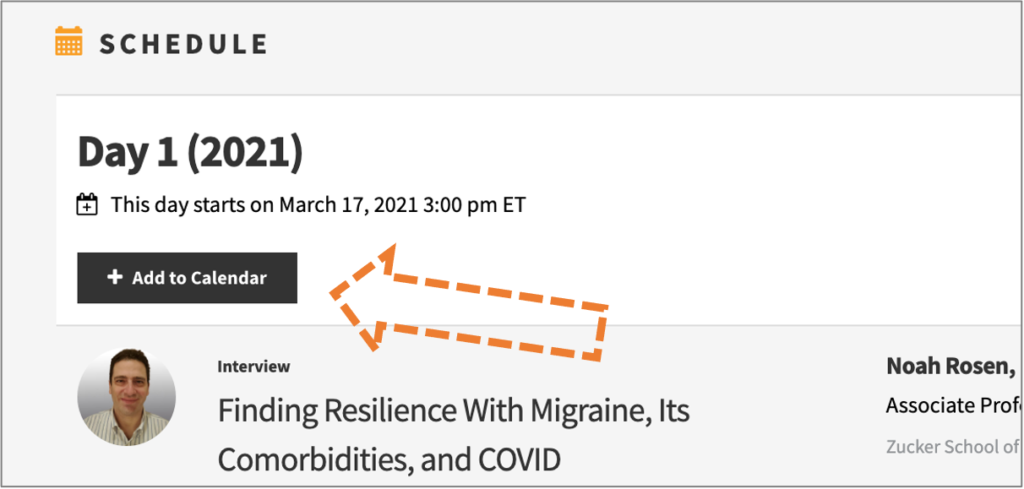 This is where you can add that day to your calendar so you know exactly when that day begins in your timezone. When you click on the Add to Calendar button you'll be prompted to select your preferred calendar (Apple, Google, Office 365, Outlook etc.) and then it will save to that calendar.
Overview
3) Request More
 If there is a product or treatment mentioned in a given interview you can request information directly from the manufacturer. Simply click the Request More Info text at the bottom right corner of the interview on any interview page.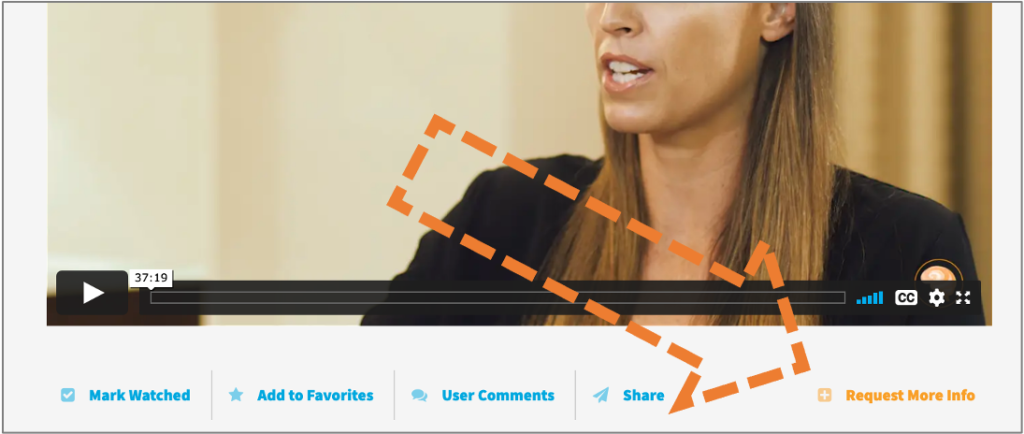
Overview
4) No login required
 Login is not required to view the interviews while the Migraine World Summit is live. The videos are available and open from the website.
Overview
5) Change Video Speed
 Speed up or slow down the interview. You can adjust the speed in every interview from 2020 onwards. To adjust the speed click on the video settings icon that looks like a "cog" on video and select your preferred speed.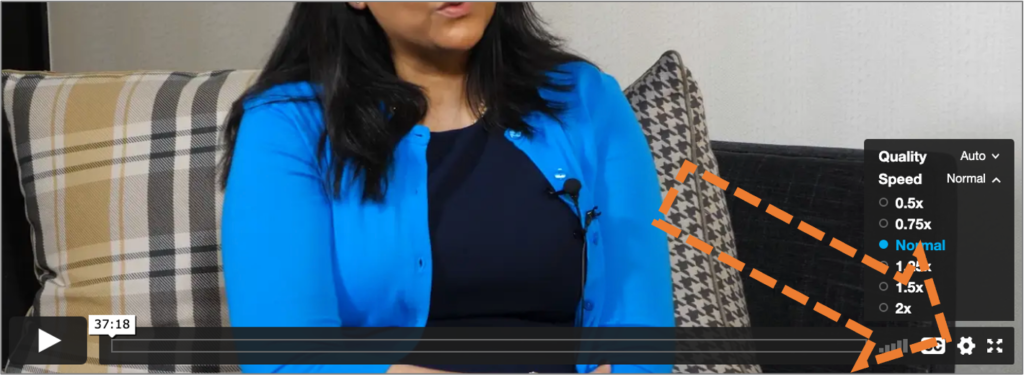
Overview
6) Comments
 You can comment at the bottom of each interview page. Most pages have responses from the Migraine World Summit hosts or experts themselves!
Overview
Summit Tips
Visit our search page to find any keywords on the website that are mentioned by speakers or topics.
Overview
8) Interview Library with 300+ Interviews
 Not sure what you're looking for? Browse and find inspiration using our interview library with a comprehensive list of topics and experts.
Overview
9) Ensure you receive event emails
The most important thing you can do right now is to ensure you receive all the event emails.
A few people last year missed out on the Summit only to find all the event emails were quietly sitting in their promotions tab or spam folder! Follow the instructions below to ensure this does not happen to you.
The process varies for each email provider, but to ensure that you receive each day's invitation for access to the interviews, drag our email into your Inbox if it has ended up in your promotions/spam/junk folder. Click YES if asked whether you would like future emails delivered straight to your Inbox.
You can also add info@migraineworldsummit.com to your contacts list to help ensure you receive event emails promptly.
Some email providers are known to block or delay the delivery of the Summit emails if this is not completed.
A few people last year missed out on the Summit only to find all the event emails were quietly sitting in their promotions tab or spam folder! Follow the instructions below to ensure this does not happen to you.
The process varies for each email provider, but to ensure that you receive each day's invitation for access to the interviews, drag our email into your Inbox if it has ended up in your promotions/spam/junk folder. Click YES if asked whether you would like future emails delivered straight to your Inbox.
You can also add info@migraineworldsummit.com to your contacts list to help ensure you receive event emails promptly.
Some email providers are known to block or delay the delivery of the Summit emails if this is not completed.
Overview
10) Global start times (time zones)
The Migraine World Summit interviews will be released at 3:00 PM ET (New York USA Eastern Time) each day, starting Wednesday the 11th of March. What time is it in your city when it is 3:00 PM ET? View the interactive time zones here World Clock Converter.
Overview
11) Video Chapters
Video Chapters let you find or jump to exactly what you’re looking for within the expert interviews. To view the Video Chapters click on the icon in the bottom right corner of the video that looks bullet points and it will display the video's chapters. 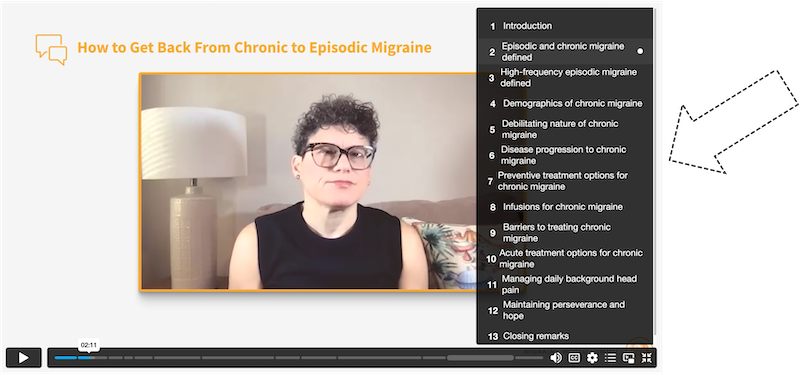
Overview
12) Dark Mode
In bottom left corner of the website (and across all our pages) you'll notice a toggle that will allow you switch to "Dark mode." This new feature supports those who may be experiencing light sensitivity or simply prefer dark mode viewing. Our interview video backgrounds have also been darkened to better accommodate our community.Apologies this tool is currently unavailable due to an issue with the provider. This section will be updated once this tool returns. 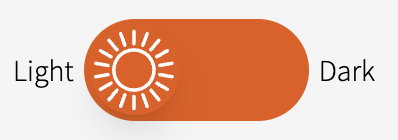

Overview
13) Meet the Interviewer team
The Migraine World Summit hosts and interviewers are the lucky individuals who sit down with the world leading experts in the interviews that are shown during the event.  Learn more about this year's interviewers and who they are on the Meet the Interviewers page >>
Learn more about this year's interviewers and who they are on the Meet the Interviewers page >>